Visualize, create, modify and delete a task
From the action menu, it is allowed to visualize, modify, create, delete or archivate action plan and tasks.
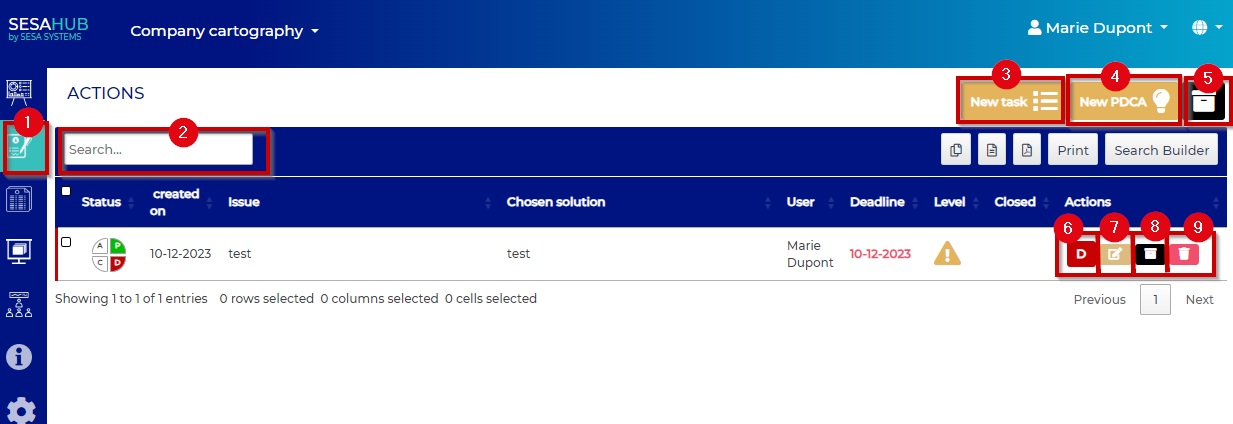
- : Action menu access (PDCA and Tasks)
- : Searchbar
- : Create a new task
- : Create a new PDCA
- : Archivated tasks and PDCA access
- : Actual PDCA's status
- : Modify the task or action plan
- : Archivate the task or action plan
- : Delete the task or action plan
By clickin on « New task » complete the fields in the popup which appears : :
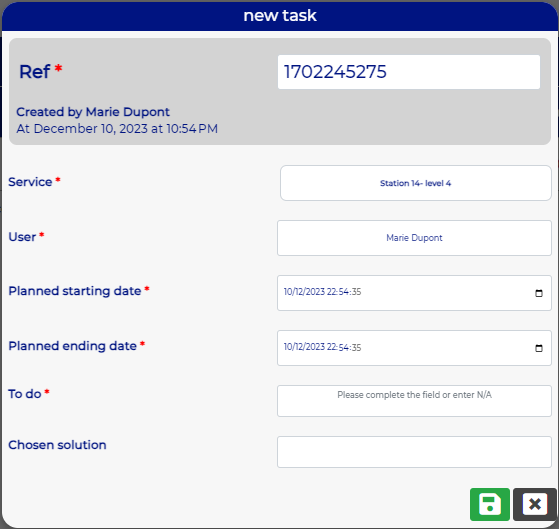
danger
WARNING, The ref number has to be unique !
WARNING, Don't modify the time on the hours, minutes, and seconds!

- : Visualize the task
- : Edit the task
- : Archivate the task
- : Delete the task
By editing the task the popup appears :
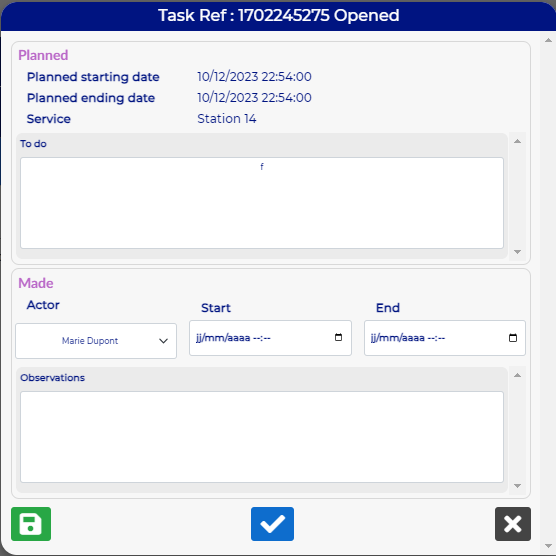
Complete, modify the fields in accordance with the realized actions
Click on the Save button to save the datas

Click on the Check button to close the task.